โ ๏ธ If the program stops or your PC shuts down while a position is open, close that position manually in the Binance app under Futures, then restart the program before resuming. Caution: closing a position may result in a loss, depending on its price relative to your entry at that moment.
1
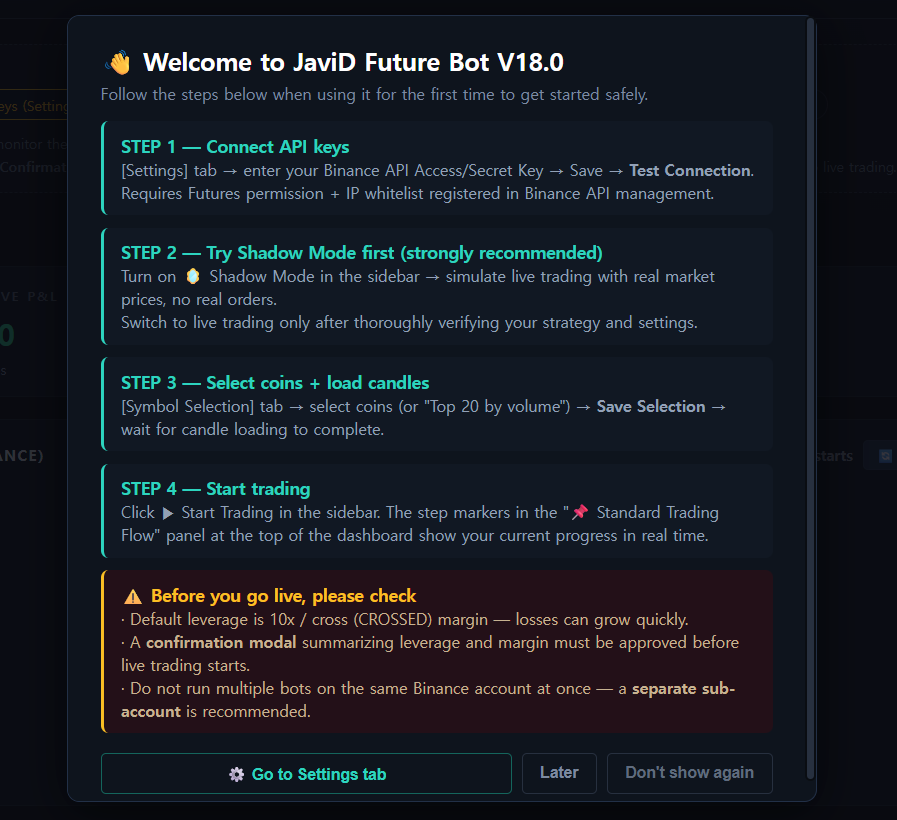
First Launch โ Guided Onboarding
New users are walked through the 4-step setup flow the moment the app opens, plus a safety checklist (leverage, confirmation modal, one-bot-per-account) before they can ever go live.
2
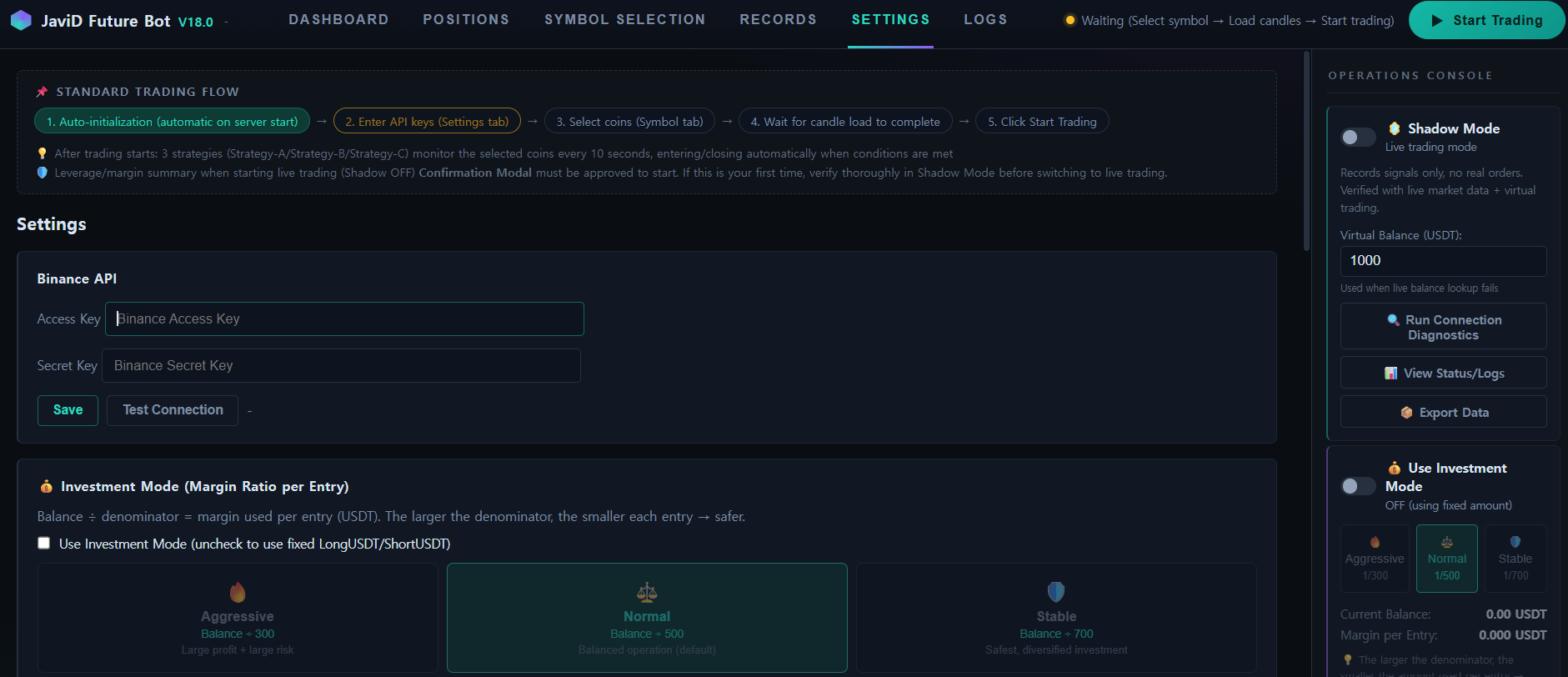
Settings โ Connect Your Binance API
Paste your Access/Secret Key, hit Save, then Test Connection. Keys are encrypted and stored only on your PC โ never transmitted anywhere else. You can track your overall setup progress at any time via the "Standard Trading Flow" guide bar at the top of the dashboard, which highlights exactly which step you're on.
3
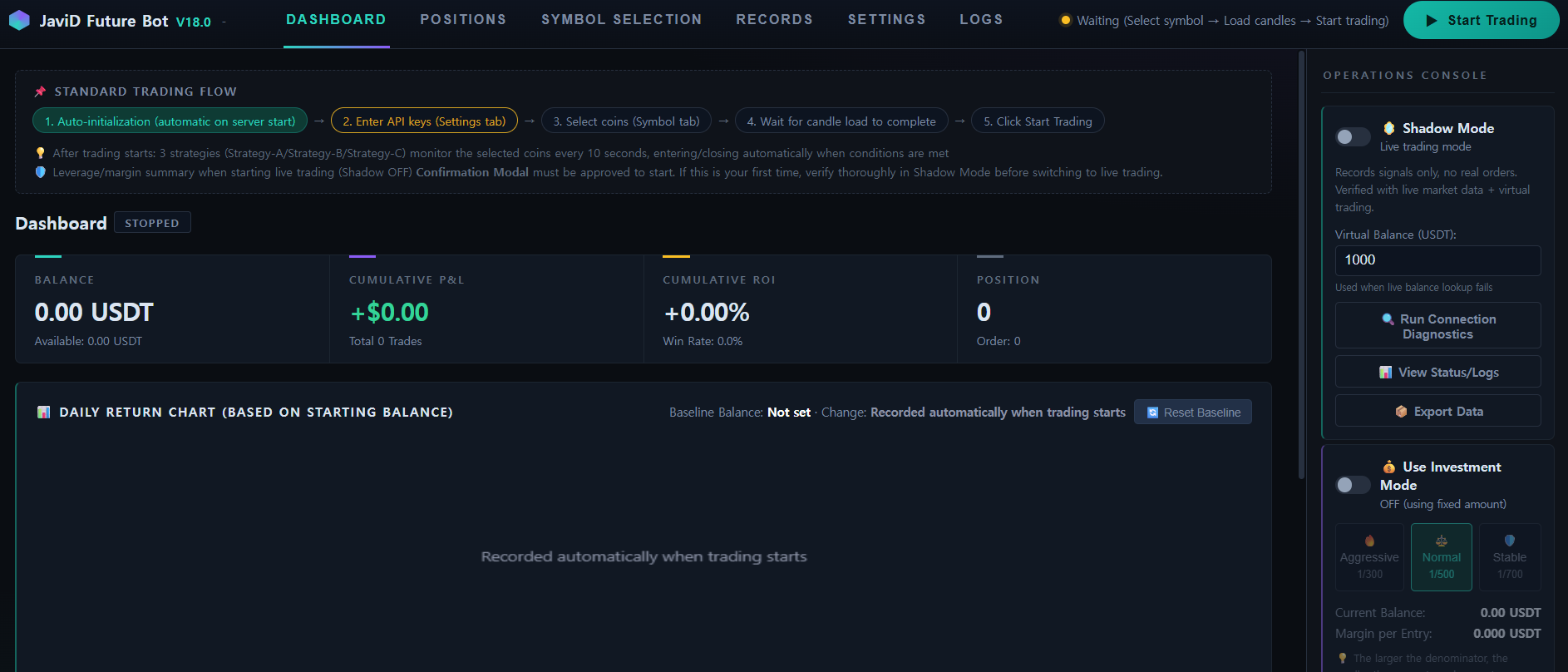
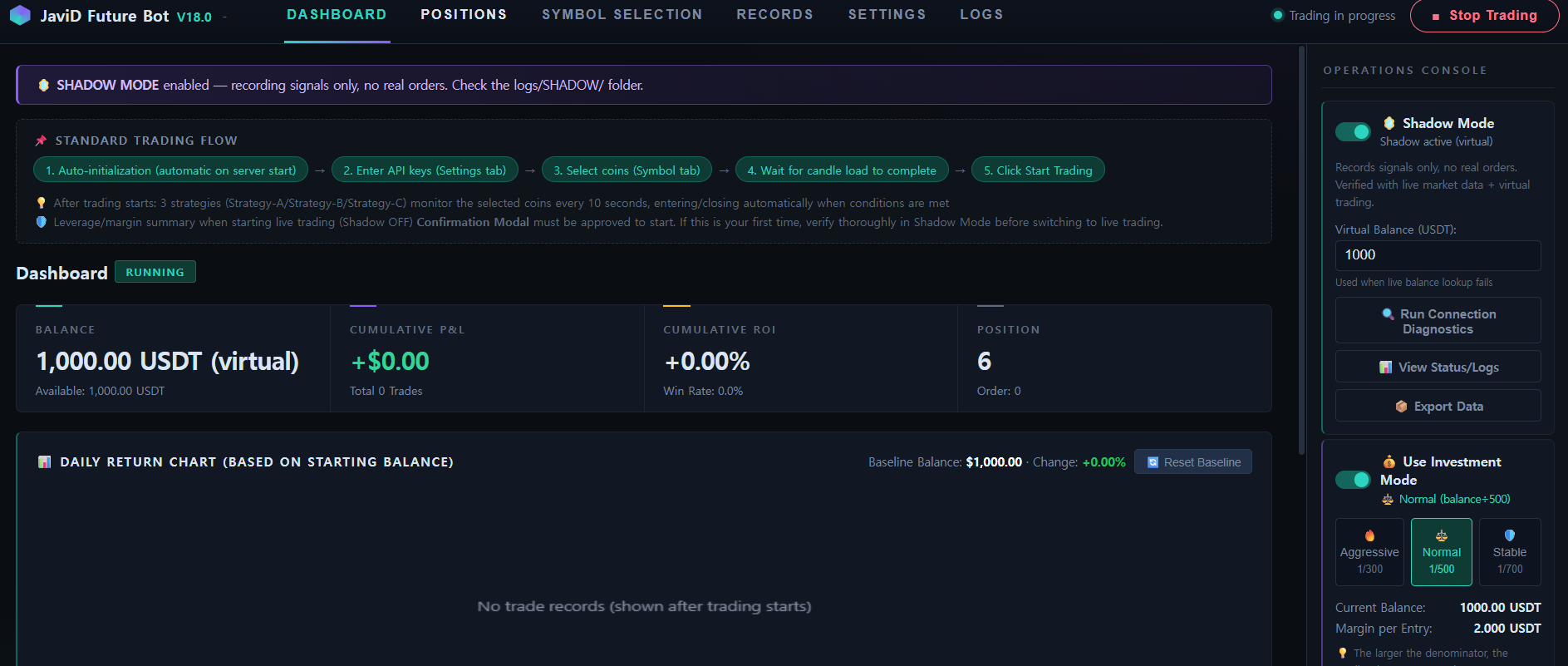
Dashboard โ At a Glance
Balance, cumulative P&L, ROI and open positions in one view. Shown here idle, waiting for symbol selection and candle load before trading can start.
4
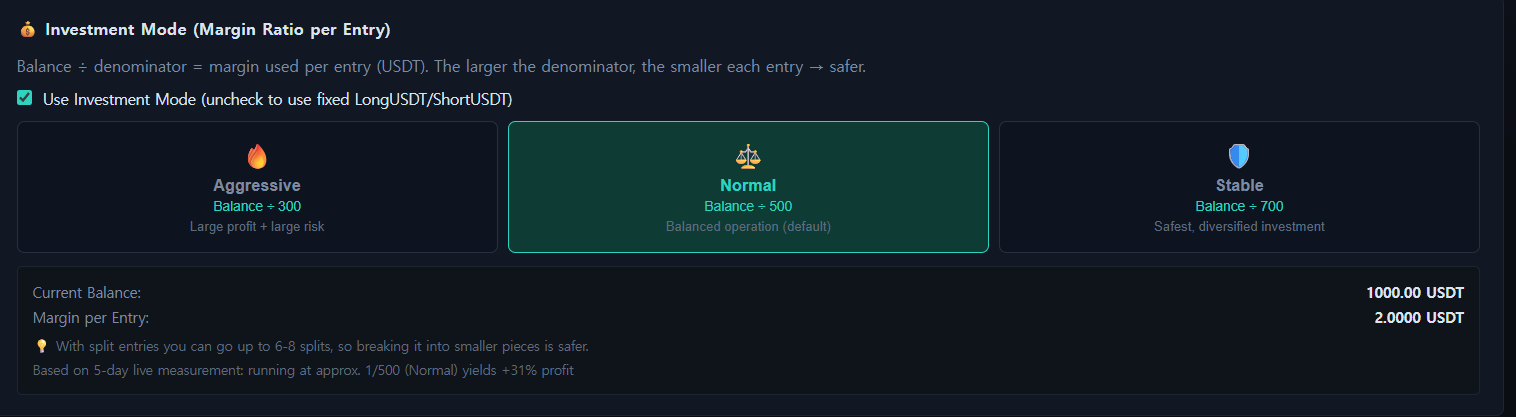
Investment Mode โ Risk-Tiered Position Sizing
Aggressive (1/300), Normal (1/500) or Stable (1/700) โ every entry is automatically sized as a fraction of the account balance, so risk scales to the trader's comfort level.
5
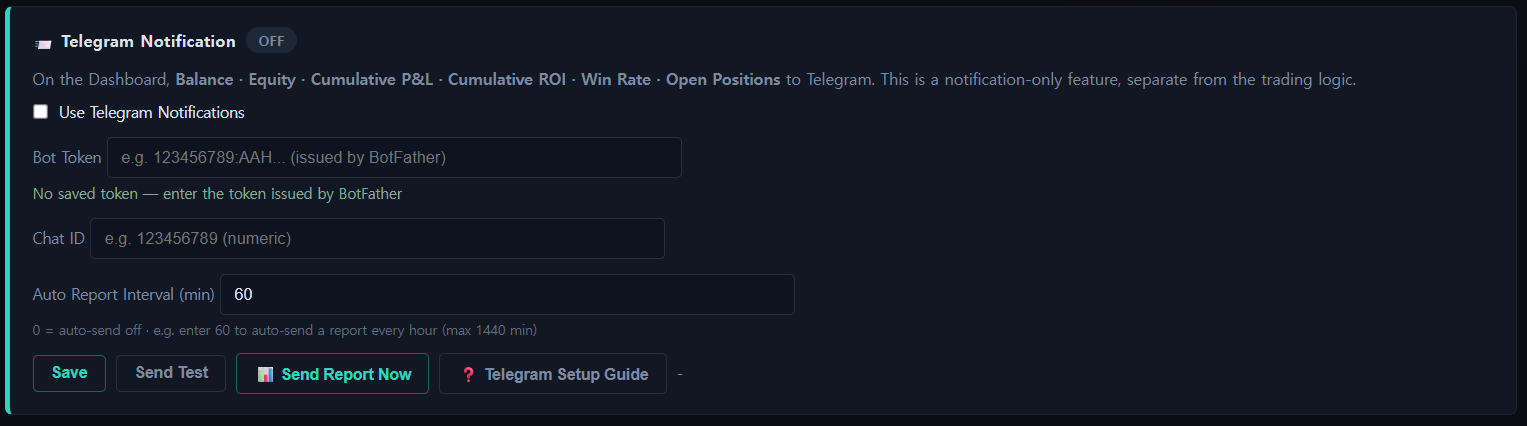
Telegram Reports
Optional and notification-only: balance, equity, cumulative P&L, ROI, win rate and open positions delivered to Telegram on demand or on an automatic schedule.
6
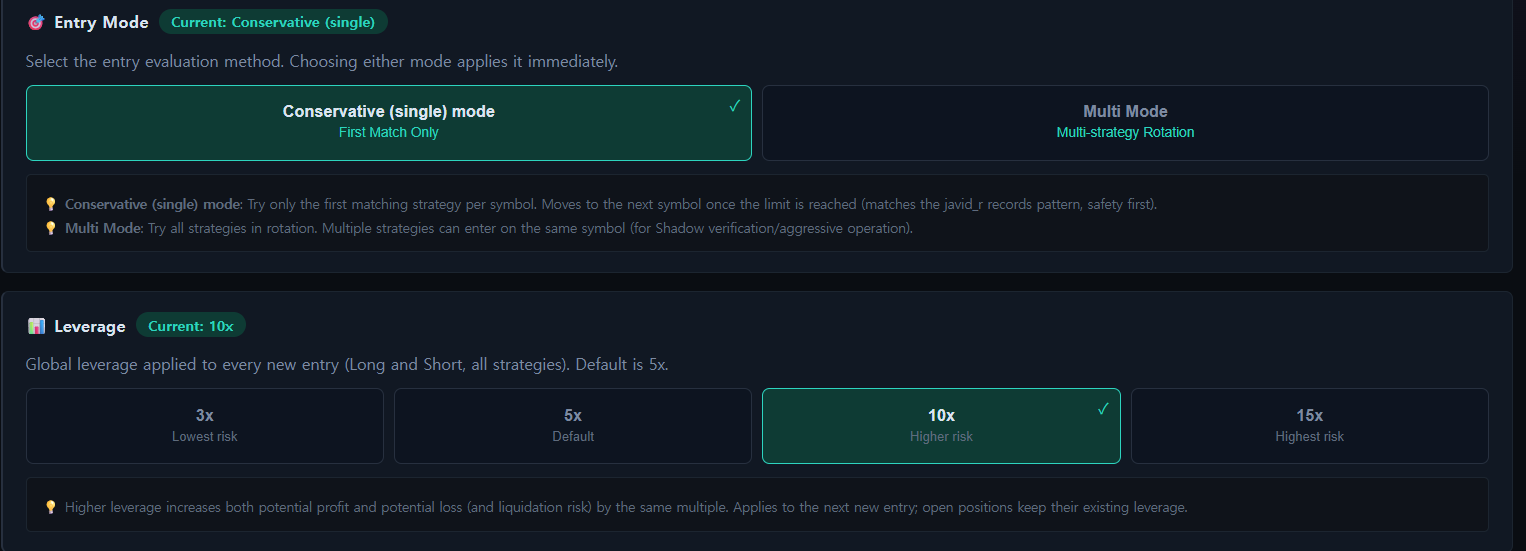
Entry Mode & Leverage Control
Choose Conservative (first-match-only) or Multi-strategy rotation, and set leverage from 3x to 15x โ full control over how aggressively the bot trades.
7
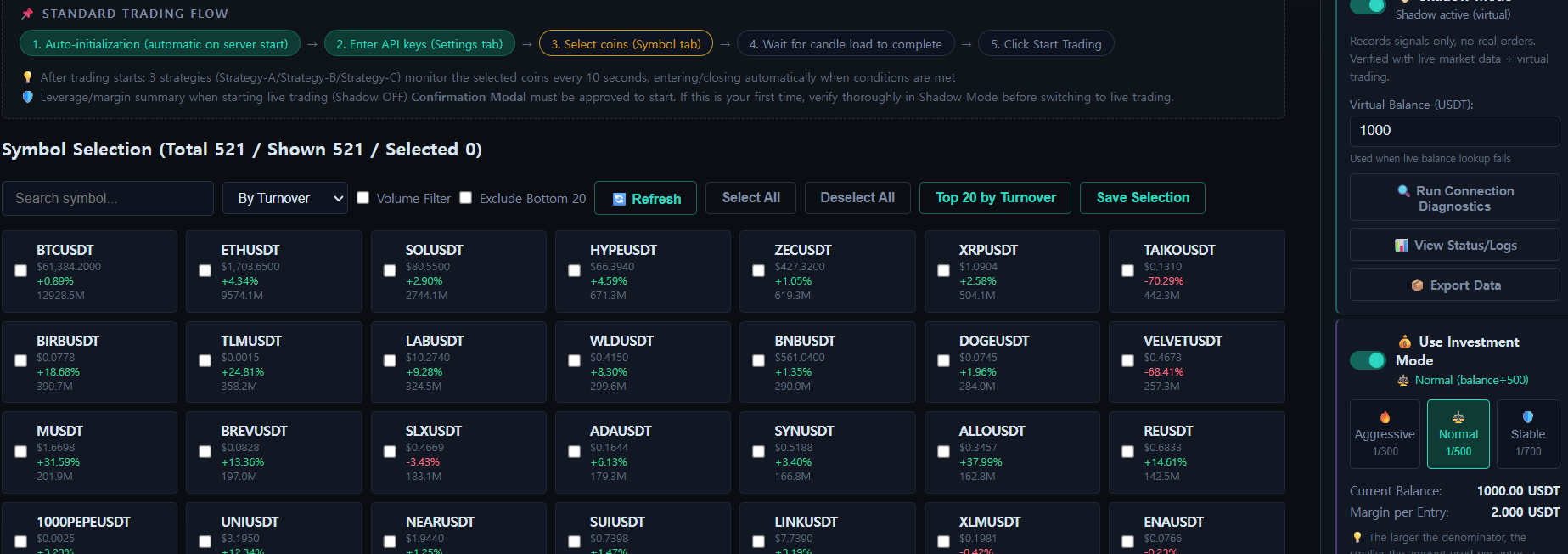
Symbol Selection โ 500+ Pairs
Click Select All to select every listed pair (optionally narrow the list first with Volume Filter / Exclude Bottom 20), then click Save Selection to confirm and begin loading candle data.
8
Shadow Mode โ Live on the Dashboard
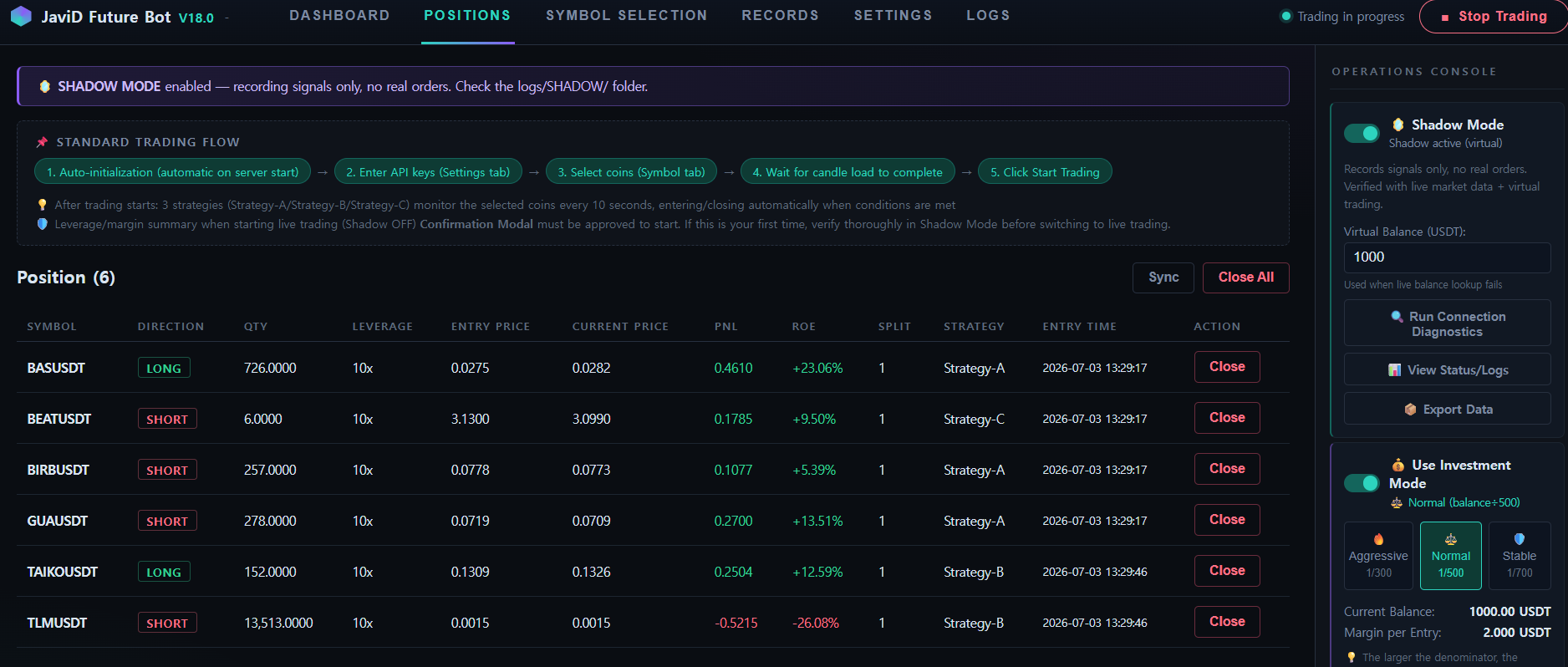
Shadow Mode also uses the real exchange's live API, and trades run on virtual USDT โ so the experience is nearly identical to trading with real money. Here it is actively managing 6 simulated positions with zero real orders placed.
9
Positions โ Real-Time Tracking, Zero Risk
Every simulated position shows live entry price, current price, PnL and ROE exactly as it would in live trading. Shadow Mode also uses the real exchange's live API, and trades run on virtual USDT, so it closely mirrors real trading without risking real funds.
Ready to see it on your own machine?
Free download, runs 100% locally โ your keys never leave your PC.